
 By
By 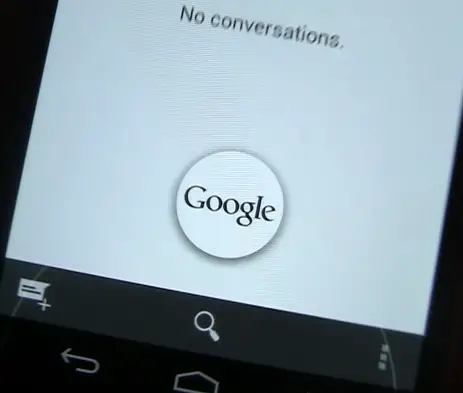
I was one of many who missed their dedicated search button upon moving over to the Galaxy Nexus. Google only limited the navigation buttons to home, back, and recent apps (with the occasional need to access a smaller menu button for legacy apps).
Welp, the search button which allows you to launch Google search is back in Android 4.1 Jelly Bean, but not in the conventional way. If you didn’t know, you can hold your finger down on the home button.
After a half second pause, you’ll be able to drag your finger to a Google icon. Release your finger once you get there and you’re jumped straight into Google Now.
It’s a very quick and painless process, and while some may prefer the ability to just press a search button and have the dialog come up, this is very intuitive, quick to get used to, and just something that makes Jelly Bean stand out from the rest.
[Update]: it appears holding the home button isn’t even necessary: you can simply swipe up and access Google Now even faster. More than that, you don’t even need to use the home button: the back and recent apps button work just as well! [Thanks everyone!]









How do you think this will work on say, the Galaxy S3 with hardware home buttons?
I would imagine that you just hold down the home button, similar to activating siri on the iPhone.
But that’s how you activate “recent apps”.
Samsung = stupid for breaking the platform standards for no reason
Exactly. Google announced the Android guidelines, and Samsung went ahead and screwed up with the core navigation of the OS.
FYI, not everyone likes on-screen buttons.
True, but HTC’s implementation on the One X is much more in line with what Google had in mind. Back, Home, MultiTask, with Home appearing on screen if needed. Yes, that long, black bar at the bottom can be ugly, but that’s easy to fix on the software level.
But look at what happened with the S3: Google announced that the Menu button is going away, and Samsung went ahead and made a hardware Menu button. -_-‘ On top of that, they put Menu on the left, and Back on the right..
that has been samsung’s locations for them for ages now.
HTC was closer, but not including the ability to adapt for legacy apps.
EVERYONE IS FUCKING UP ANDROID. and there’s no AT&T LTE Nexus device. I’m sad.
Dont forget about HTC. Motorola is the ONLY ONE doing it right so far (aside from the Nexus devices).
In ICS the home button brought up the the recent apps menu just like the recent apps button if I remember correctly. Hopefully Samsung will the functionality change into account when they roll out an official update for the GSIII to Jelly Bean.
If I remember correctly, in ICS the home button brought up the the recent apps menu (when pressed and held for a few seconds) just like the recent apps button. Hopefully Samsung will the functionality change into account when they roll out an official update for the GSIII to Jelly Bean.
The touch sensitive button on devices are extensions of the screen. You can just swipe from one of the buttons to the screen as normal. This is how wave launcher used to work on Android 2.1.
It wont. Yet another failure of having dedicated keys for navigation.
You don’t need to hold the home button, you can swipe up from anywhere on the nav bar to launch Google Now.
You can also just slide up, you don’t have to hold it down.
Also Sprint version
http://forum.xda-developers.com/showthread.php?t=1737745&page=59
You can also access it by just sliding, you don’t have to hold it. Also here is a link to JB on Sprint Gnex.
http://forum.xda-developers.com/showthread.php?t=1737745&page=59
Also just say Google at the Google Now page and it instantly brings up voice search
Dude…..Trim your finger nails. It’s giving me nightmares.
You don’t need to swipe up from the home button, just draw a “G” gesture anywhere on your screen and it will bring it up.
http://www.youtube.com/watch?v=oHg5SJYRHA0
Rickroll foiled by video thumbnail. :P
1) Google now sucks (at this stage)
2) This trick wont replace the search button because it does not bring up the search functionality of a specific app when you are in (es, messages)
3) When now opens it gives no focus to the keyboard so you cannot just start writing you need to go up to the search area and click again
Thanks modaco for providing roms with the search button enabled
Okay so my question to yall is: Vicious or VanirBean?