
 By
By 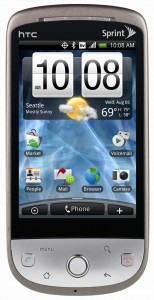 What’s that in the sky? Is it a plane, a star, a superhero at night? Well it could be considered a battery savior.
Today Sprint released an OTA for Hero users. The update is supposed to fix various issues, including the SMS battery drain.
I guess this might answer the question of whether or not Sprint would “stress” their 3G/4G network to update Android based phones.
Hopefully the next update will be 2.0 as this OTA only addressed a few known bugs but the Android version remains the same.
Below are various shots of the update provided by a Phandroid writer himself – Feech.
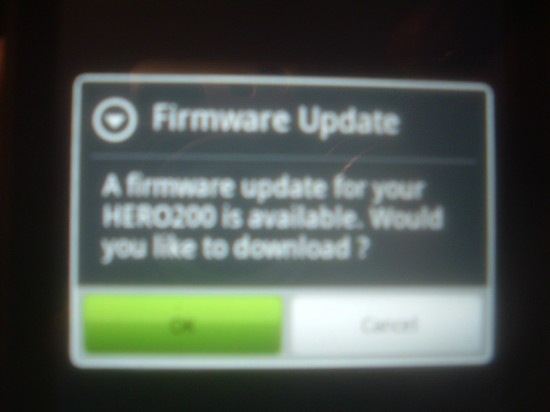
Here is the first step to a promised land.
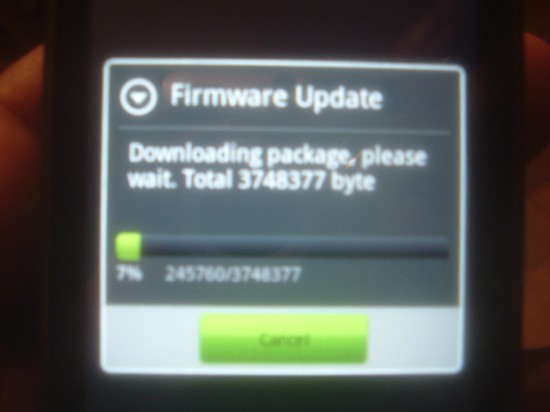
The firmware comes in at 3748377 bytes, which shouldn’t stress Sprint’s Now network too severely.
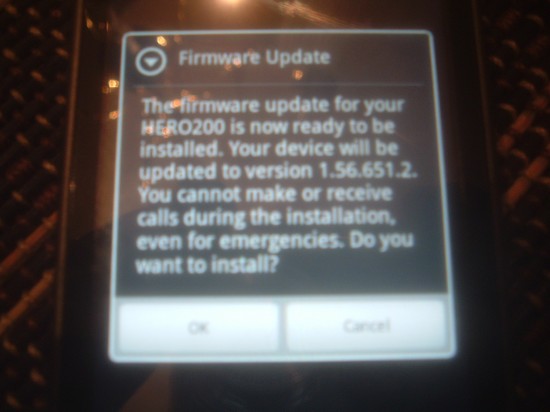
The firmware is labeled 1.56.651.2. Based on the warning do not blame Sprint if you’re about to die or waiting for a job call while updating is occurring.
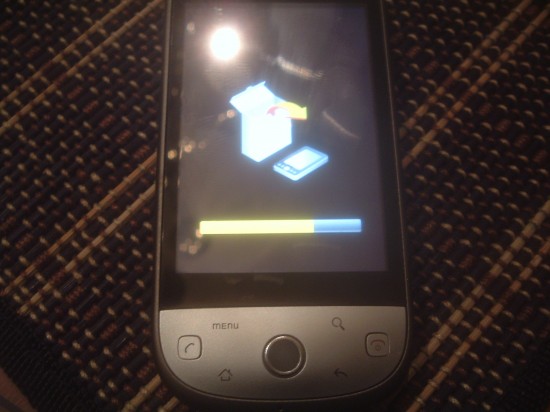
Ooh-la-la! I always get kind of giddy when I see this icon on any product, well except on Apple products. They usually update to take features out.
We hope your update has gone down smoothly and without headaches. Let us know if you have seen other fixes due to this firmware update.






Yo, the first picture looks like your goldfish made it from the fish tank.
The camera is vastly better. Not sure if it was the same 24.5 day bug that the Droid has but post firmware it rocks, night and day different. Stereo head jack works right. There are more on screen options for in call like mute and speaker. Phone is faster, no lag at all anymore. This phone rocks. Great network, great plans….the Hero makes sense.
I noticed there is now a speaker and mute icon on the touch screen now during a call. You had to click the menu button and select the options from there before this update.
Also the renaming bug (On app updates) and sms sleep time issues were fixed.
Testing to see if all day calender event display bug still exists. It wasn’t widely reported so it may still be in there.
just updated and the phone is quite a bit snappier.
BUT now my phone dialer keypad vibrates when i dial. Where do i turn this off!? driving me nuts-O!!
Thanks
I posted some more details about what was updated and some observations here: http://beerpla.net/2009/11/18/sprint-and-htc-release-the-first-htc-hero-firmware-update-1-56-fixes-major-bugs-adds-small-tweaks/
The verdict is: Sprint and HTC delivered quite a nice little update. It’s missing some more of the needed fixes but also fixes the critical bugs. I think the this update will hold us over till 2.0 now.
Finally we got to know the identity of Mr Blurrycam, it’s Feech. Reveal your face Mr Feech.
Wow, it is faster. Everything seems a little snappier, like running in turbo mode. Google maps seems alot faster. I like it!
I’m in my happy place.
Is this something they would slowly roll out? I haven’t seen the option to download the update yet.
Now that I’ve had a few minutes to check it out, I’m REALLY in my happy place.
In my opinion, the biggest fix (other than the battery issue) is the icon/app name issue. After the reboot, all of the broken icons are now correct. We’ll see what happens when I update one of them.
1) I noticed there are new mute and speaker buttons when you are in call.
2) The keypad when dialing vibrates (a little annoying so far).
3) Sync with facebook pictures is far more reliable than before.
to get the update I went into the settings -> about phone -> System updates -> Firmware update.
It didn’t fix the problem that i have. Apparently if you have your headphone plugged into the hero, then turn the phone on, it does’t recognize that the headphone is plugged in. You have to turn off the phone, unplug the headphone, turn the phone back on to fix the problem.
I got the update yesterday.. Here is the release info from Sprint Community Admin SarahKS:
A software update is available for the HTC Hero.
You can initiate the update from the Settings, About Phone, System updates, Firmware update.
Feature Updates and Enhancements
HTC Hero Software Enhancement SW 1.56.651.2 provides feature updates and enhancements to address the following:
• Improvement to camera picture quality
• DST (Daylight Savings Time) issue addressed
• Unable to receive SMS due to full memory
• Memory leak when Bluetooth is in connecting state
• 3.5mm mono when not using headset with mic
• Dialer application causing excess battery draw
Important note: Dedicated Mute/Speaker buttons have been added to the Talk screen
Verification of updates:
To verify the customer has the updated build after the update:
1. Press Menu, Tap Settings
2. Flick Up, Tap About Phone
3. Scroll up and check Software version: After update 1.56.651.2
I still cant get it, it fails, then it doesnt find it, then it finds it and says its preparing download service or something, but fails, and then it cant find it…..
hopefully when Im at work later with better coverage it will work. why cant they make it so this downloads over wifi? wouldnt it be easy to make the phone check first for sprints network to make sure the phone has a valid account behind it(if thats any concern at all) and then if that checks out, check to see if wifi is connected, if so download over wifi, if not download over the network.
The update was available for me when I manually checked. I did the update, then restarted the Hero – now my pictures are constantly blurry, it looks like I’m taking them through a plastic film. And I don’t notice any difference in the shutter speed, which is what I was hoping would be corrected. Any suggestions?
another thing i have noticed is that the twitter app is a lot faster.. a lot. i used to hate using it but now its so much better.
My phone says that there is no update available…what did I do to deserve this??
My firmware won’t find anything and the Sprint Rep I talked to online said they don’t show anything available in their system.
They are going to be so tired of me by the time my 2 year contract rolls around. :)
A few hours after installing the update, I no longer have a connection to the internet. Disabling/Enabling the internet connection does not fix. This is the first time this has happened since I purchased the phone on October 11th. Solution was to power cycle the phone. Hoping this won’t be a recurring problem.
wow, fixed my broken icons and I have noticed the UI is so much smoother and faster. This update is a must have.
Tried 10x’s and it gets between 19 and 43 percent “downloading package” then stalls and makes no progress after that… WTF! I want to see what all the Hub Bub is about. if it’s this hard for an OTA update of this magnatude imagine the 2.0 update… Come On!
OMG the camera is SOOOOOOOOOO much better, like night and day. Seriously this update was something the Hero really needed. Who cares that we didn’t get the 2.0 update, it’ll come soon enough but for now be content that they fixed all that they did. Yea HTC & Sprint!
@myself/tom Sprint said I was not in an EVDO area Sioux Falls, South Dakota) which was required for the update. That’s what happens when you ive in the Boonies…
Damn… I hope the Eris will get this FW update soon.
@tom, im pretty sure where I am, even at work im not in an evdo area(that would be what is called “powervision” right?)
on my old phone (rant) ive only had the “powervision” icon at the top of the screen maybe 4 times in the 2 years ive lived here. and I was finally able to get it to update this afternoon.
been running with this update for about one day. seems like everything is faster. google maps is flying now!! and the camera lag is shorter. there are also more ring tones. awesome work by htc!
Installed the update on the 18th. Out of the blue I decided to check to see if there was a firmware update available and there was to my surprise. It installed with no problems and it fixed my SMS problem, thankfully. Think my fiancee was starting to think I was ignoring her instead of honestly not getting her texts, lol. Haven’t made a phone call since the install so I haven’t seen the new on-screen buttons.
Overall, I’m impressed with the update. Good job, Sprint/HTC!
@maddmatt02 Thanks for the info. Gonna keep trying. If nothing else I’ll be in K.C. next weekend for Thanksgiving and it should work there. Happy Holidays Phandroidians…
I agree that the update has improved performance and added a few nice features (speakerphone button is great.) However, the SMS awake time issue remains!?!?! Really. Fix it!
UPDATING NOW! WILL RETURN WITH JUICY DETAILS.
my stayed 100% awake until i did a factory reset. now its down where it should be but i had to reinstall all my apps.
For some reason my wired headset/mic isnt working now.
Also i cant find 2 apps that i had before(i paid for one) ilightr & tv.com apps.
All is good so far here in S Fl. had no issues other than a late night one when the phone was lagging last night and freezing up, rebooted an all was fine, so far so good, can’t wait for the 2.0 version to be released, really want the new Google Maps Navigation, looks nifty
UUUUGHHHH… THIS FIRMWARE UPDATE IS HOSED!!!!!.. the mute and speaker buttons are reversed!!!!!!!!!!!!!!
unless the button shows the symbol of what youre NOT doing but may want to do??
dumb
speaker isnt very loud at all either